Support Team

#2523-Urgent: MM Lite API Implementation
Support Team

#1 Support Team
Support Team

What is the issue preventing the Botsailer team from implementing this API? It may be a simple task for your team, but it seems this matter is not being taken seriously.


Day by day, the delivery ratio for customers is getting worse. They are not able to broadcast marketing messages effectively, and this is extremely important. Switching to the MM Lite API is necessary to improve the delivery ratio. Our competitors have already implemented it, as it is essential for performance and reliability.


Due to failures in broadcasting, many clients are leaving our platform. This thread was posted more than two months ago, yet there has been no proper response for a long time. Because of this issue, many customers are demanding refunds.


We request you to please treat this matter with urgency and provide a clear update on the implementation timeline.


Refer this article - @developers.facebook.com.../overview

#2 Admin.
Admin.

Hello. This is why some messages say "Waiting for message. This may take time?"?

#3 Kamrul Hasan
Kamrul Hasan

Dear Users,


We have started working on the Marketing Message API implementation. It will be available in BotSailor soon.

Thank you.


Best regards,

Kamrul Hasan

#4 Kamrul Hasan
Kamrul Hasan

Dear Users,


To use the Marketing Message API for broadcasting your marketing messages, please follow the steps below:

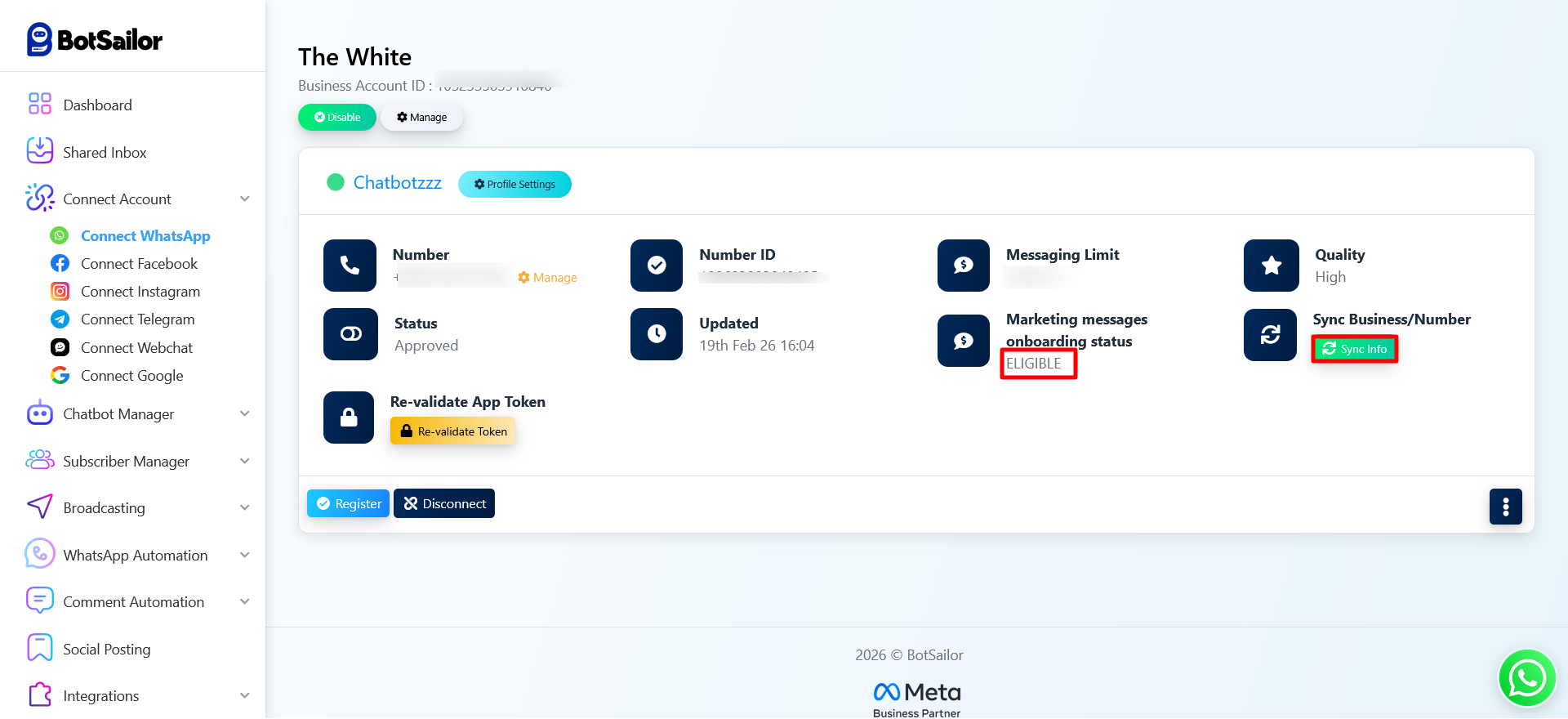
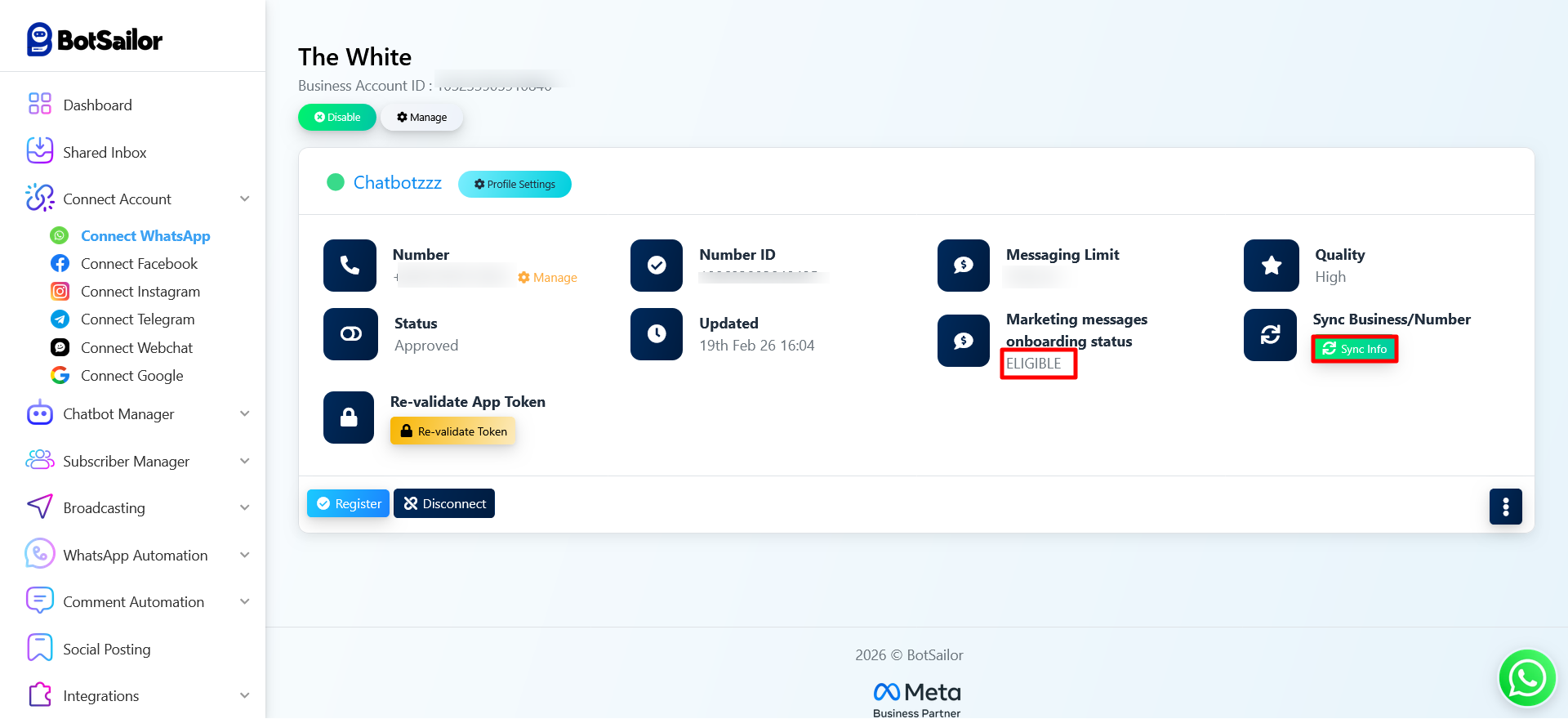
  1. Go to Connect Account and synchronize your WhatsApp account again on BotSailor.
  2. After synchronization, you will see the Marketing Messages Onboarding Status as Eligible.
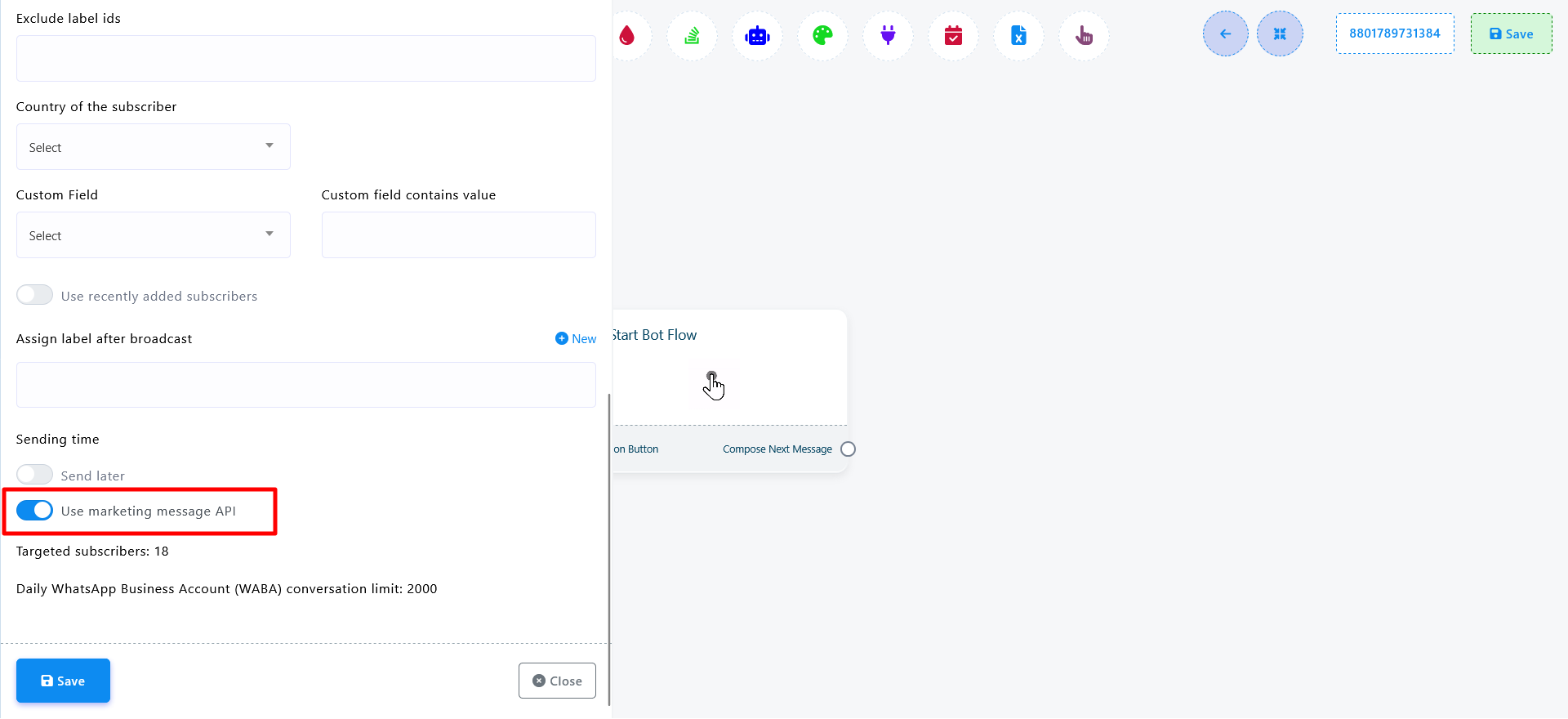
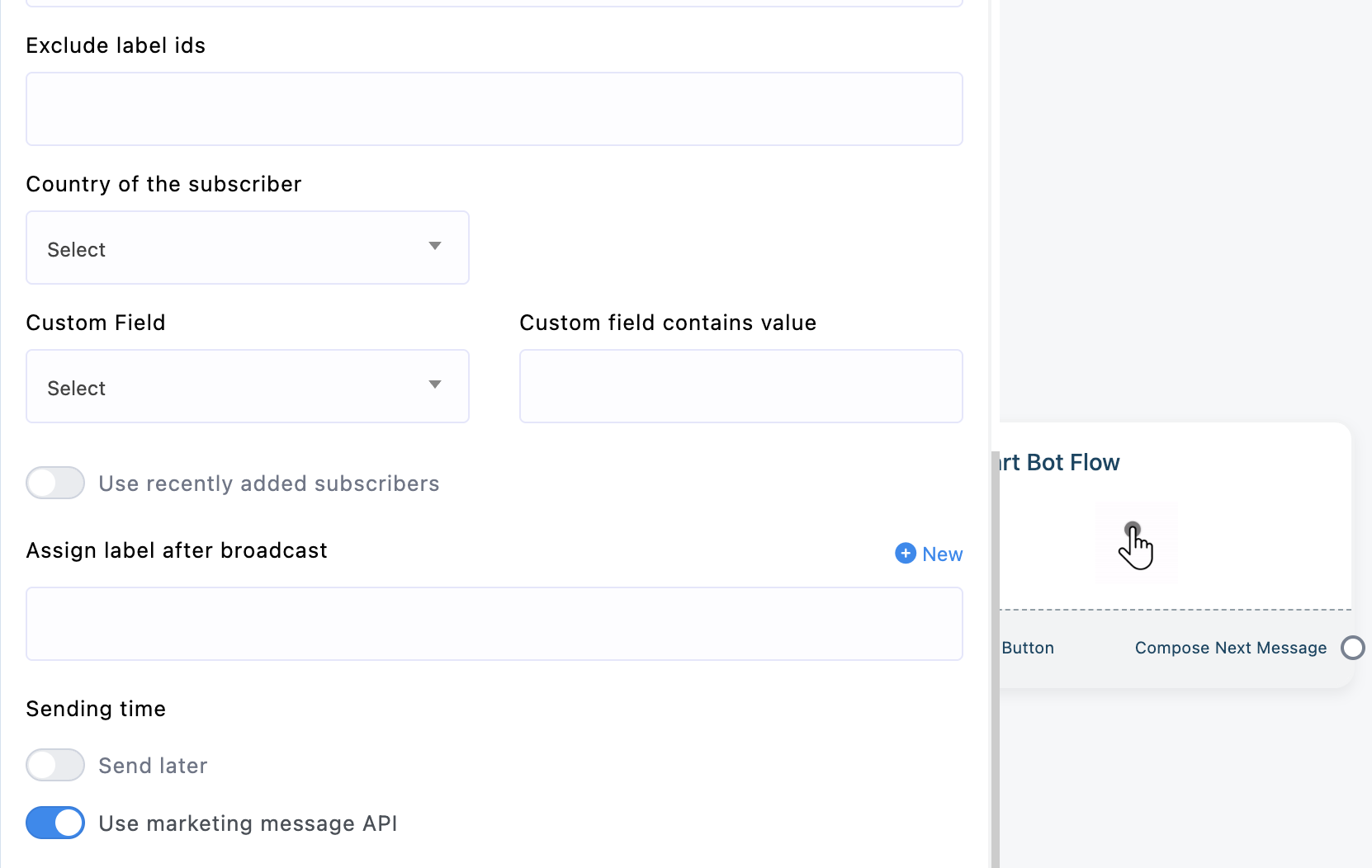
  3. Then, go to Broadcasting. You will find an option to use the Marketing Message API.
  4. Enable the option and save the settings to start using the Marketing Message API for broadcasting.


Thank you for being with BotSailor.


1771739831_BotSailor-Connect-WhatsApp.png


1771739840_Flow-Builder-BotSailor%288%29.png

#5 PrimeX
PrimeX
#4

Kamrul Hasan

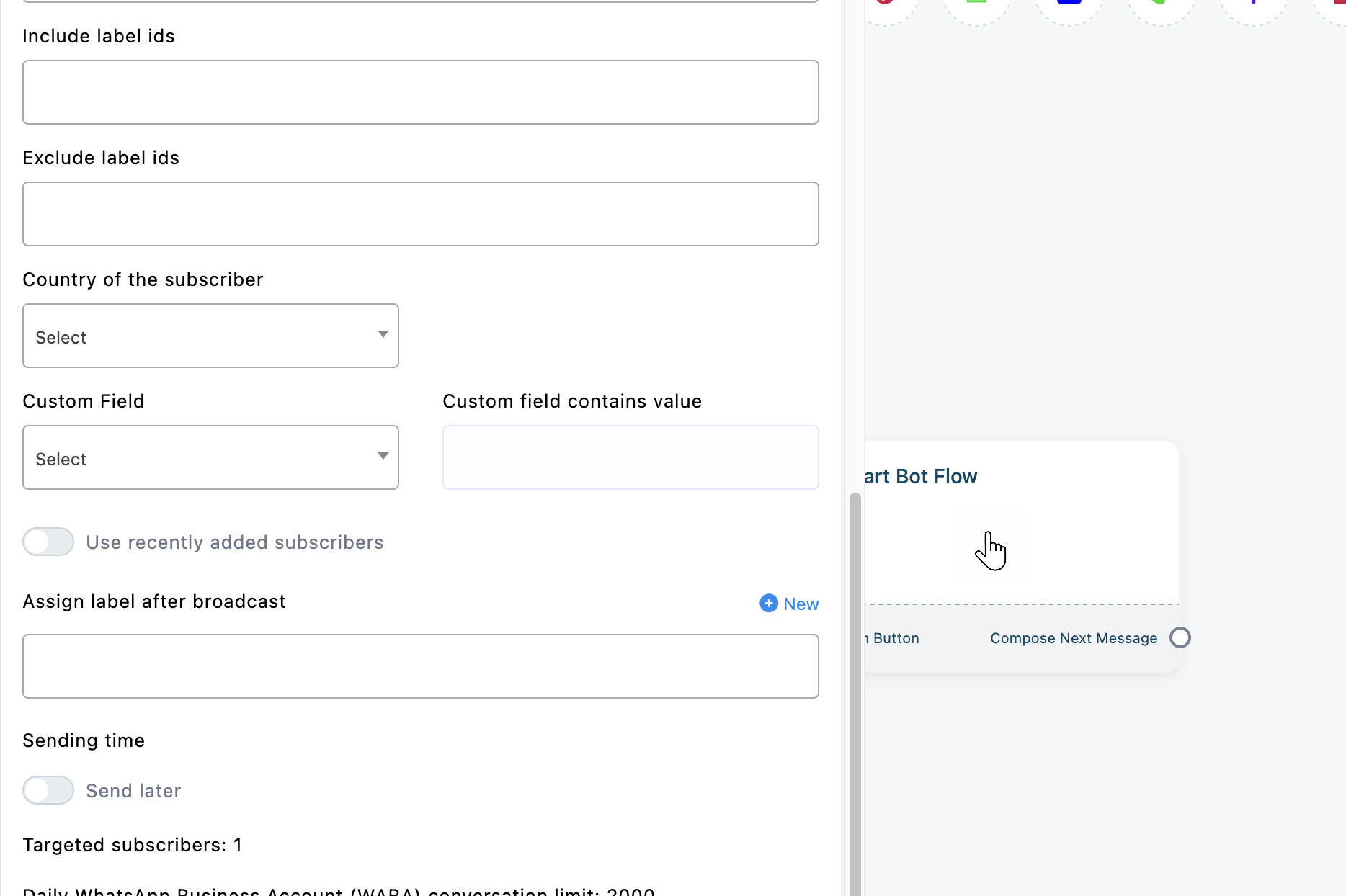
Hello Kamrul Hasan thank you so much for the update but unfortunately this option is still not visible on old account if new account configure than option is available only, Please check at your end how to fix it

#6 Maxs
Maxs
#5

PrimeX

You have to reconnect same number then only will visible.

#7 PrimeX
PrimeX
#6

Maxs

I see why BS team not explain everything to disconnect the number and reconnect will cause the issue of chats lots

#8 Kamrul Hasan
Kamrul Hasan
#7

PrimeX

Dear Prime X,


You don't need to disconnect and connect again, you just need to Synchronize again, please check my previous reply with screenshots.


Thank you.

#9 PrimeX
PrimeX
#8

Kamrul Hasan

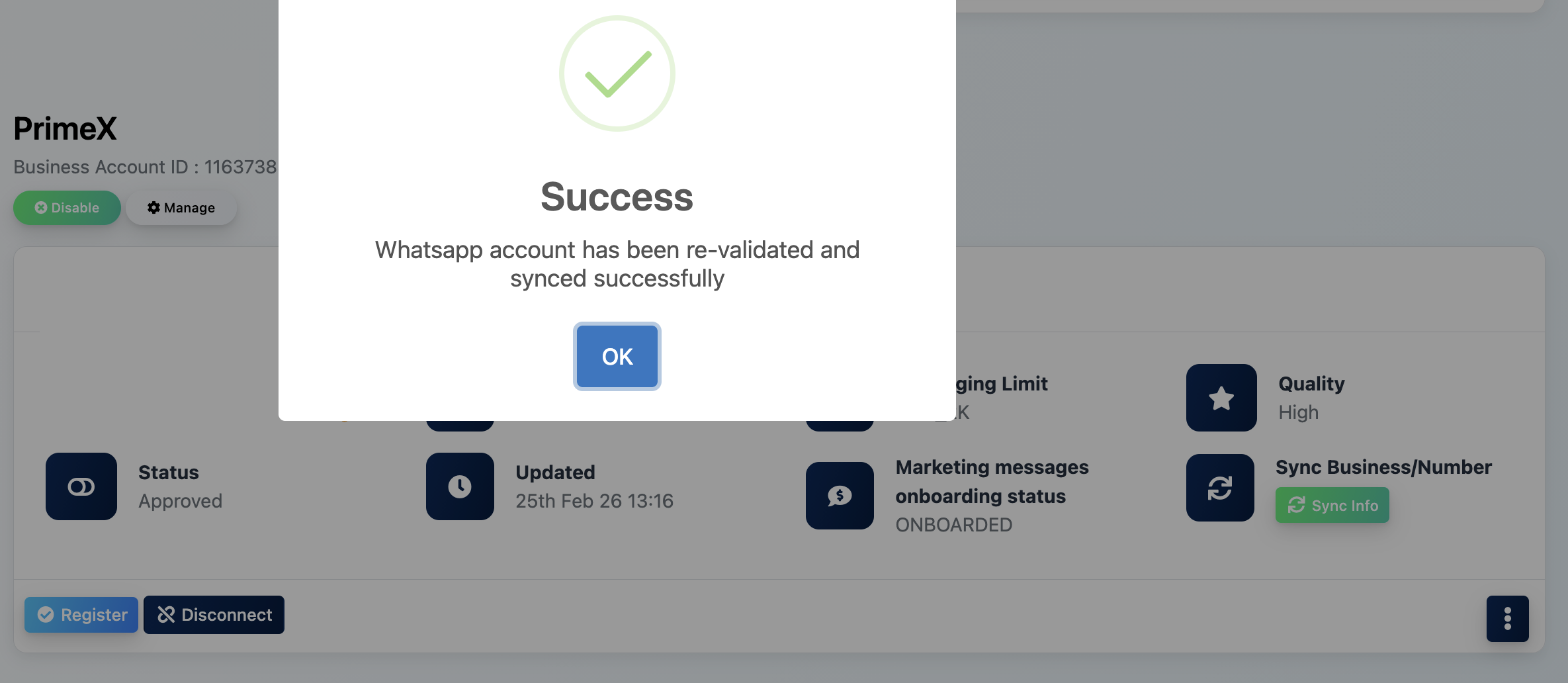
Hello Kamrul Hasan already tested the why you described but its not working at all just for your reference i just tested it again synchronize, and took a snapshots for your reference.


Please check it and share the steps how to fix it.


1772011338_Screenshot%202026-02-25%20at%201.17.11%E2%80%AFPM.png


1772011346_Screenshot%202026-02-25%20at%201.18.14%E2%80%AFPM.png


#10 PrimeX
PrimeX
#9

PrimeX

Hello BS Team whats the update on this how to solve this out without disconnect the connection.

#11 Kamrul Hasan
Kamrul Hasan

Dear Prime X,


It appears that your WhatsApp account is not yet eligible to use the Marketing Message API. In your account status, it is currently showing “ONBOARDED”, whereas it must show “ELIGIBLE” to access this feature.

Thank you.


Best regards,

Kamrul Hasan


1772344553_BotSailor-Connect-WhatsApp.png

#12 PrimeX
PrimeX
#11

Kamrul Hasan

Thank you for the clarification any idea how soon “ONBOARDED”, status change into “ELIGIBLE” status if there any specific criteria to get it done asap

#13 Rakesh
Rakesh

As far as the basic Terminology goes - "Eligible" is the First step and to "onboard" is the next step.

So ideally Marketing Lite API use should be enabled for "OnBoarded" status too.


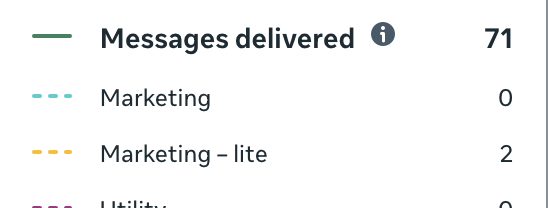
I did the testing where Eligible Accounts when selected the Marketing Lite API option in Broadcasting - still used the previous Cloud API to send the messages ( this can be verified easily using Analytics in FBM)


Now when we add the Marketing Lite API permissions in the Signup Config

54v2NLOK5k4sSJYcyYMTk+9VgICAEh0HsINJ1EaEzpvbJWioWAEBACQkAICAEhIASEgBAQAkJACAgBISAEhIAQEAJCQAgIgfoINNWl1I+pt3yIkJGUl5RnCSAFt5Aynn766fD8889HV2PHjg3jxo0TGaMAM70SAkKgNxFoOo

#14 Rakesh
Rakesh

Thanks for the quick Fix - it's now working fine. 1772609284_Screenshot%202026-03-04%20at%2012.57.21%E2%80%AFPM.png

#15 PrimeX
PrimeX

Is this bug on the dashboard its shows status ONBOARDED but while running campaign it shows option to use Marketing Message API

1772623500_Screenshot%202026-03-04%20at%203.23.15%E2%80%AFPM.png

#16 Rakesh
Rakesh

No - it's not the Bug - What I understood is even if you are onboarded - your Marketing Template don't still use the MM Lite API if you don't select this switch.

So to send using the MM Lite API - once your status is Onboarded - use this Option while creating a broadcast and it should work.