
Sales Agent
Product and pricing questions

 Synced with WooCommerce
 Live on WhatsApp
They’re asking where their order is, whether something’s in stock, if they can cancel. Someone on your team is checking WooCommerce manually for every single one.
Still waiting on a reply.
Answered instantly, 24/7.
Connect WooCommerce, give the agent its instructions, and start answering real customers with live store data.
Generate a Consumer Key and Secret from WooCommerce → Settings → Advanced → REST API, then paste them into BotSailor.
Paste a system prompt into your AI Agent — plain instructions plus a handful of WooCommerce action tags.
Your AI Agent starts answering real customers on WhatsApp, backed by live WooCommerce data.
Full setup walkthrough: How to Integrate WooCommerce with BotSailor
Bind your store once, then hand it a small set of actions — each a real, live operation on your WooCommerce data.
Customer sends an order number, the agent replies instantly with real-time status.
##woocommerce_get_order_details##Searches your live WooCommerce catalog for the right product.
##woocommerce_recommend_products##Adds an exact order note, e.g. tagging where the sale came from.
##woocommerce_update_order_note##Handles a clear cancellation request — no back-and-forth.
##woocommerce_cancel_order##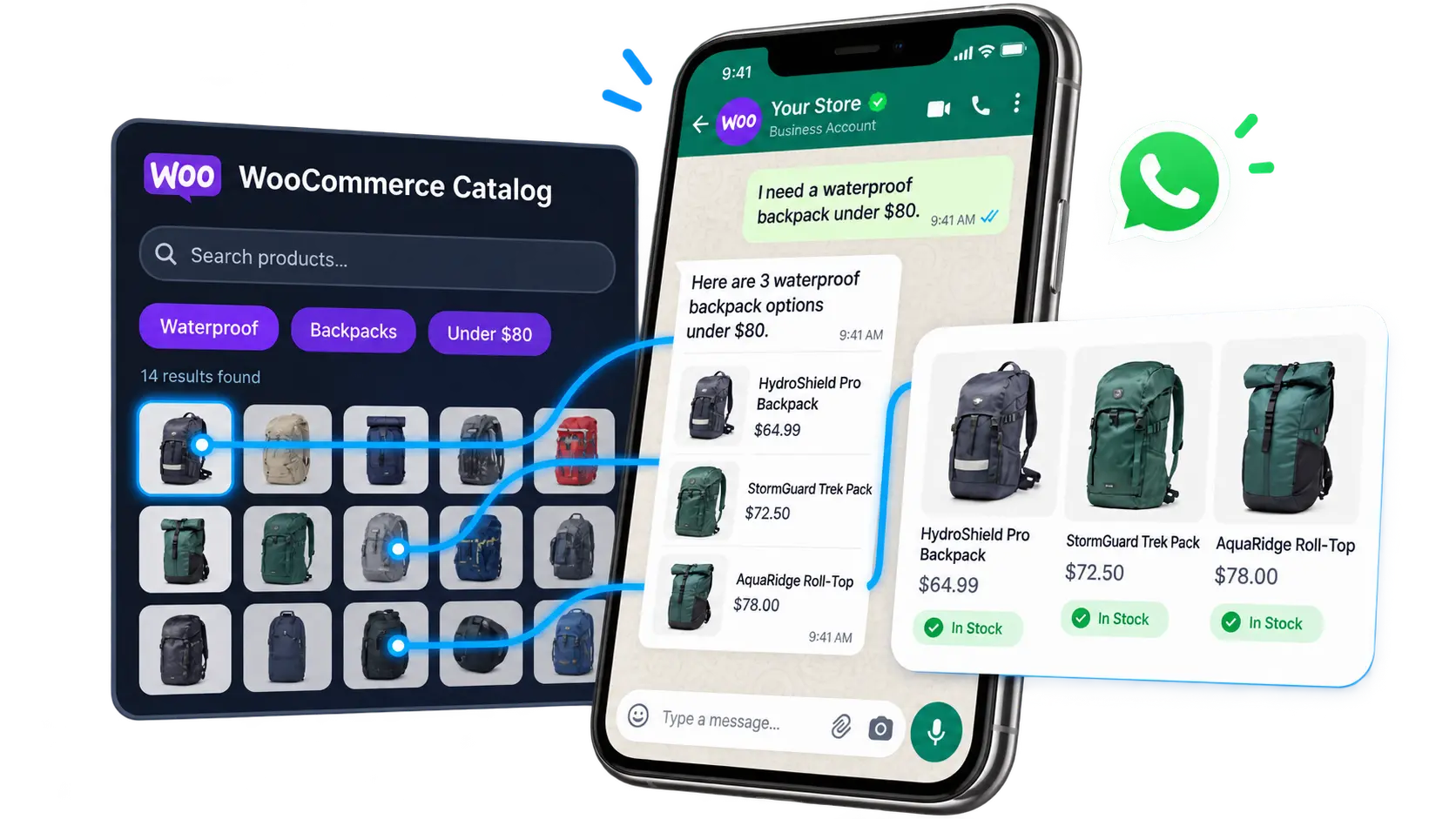
Every agent starts by binding your store — ##woocommerce_store## : 12 — the foundation every action above runs on.
Alongside AI conversations, BotSailor also runs the operational side of WooCommerce on WhatsApp — no AI required.
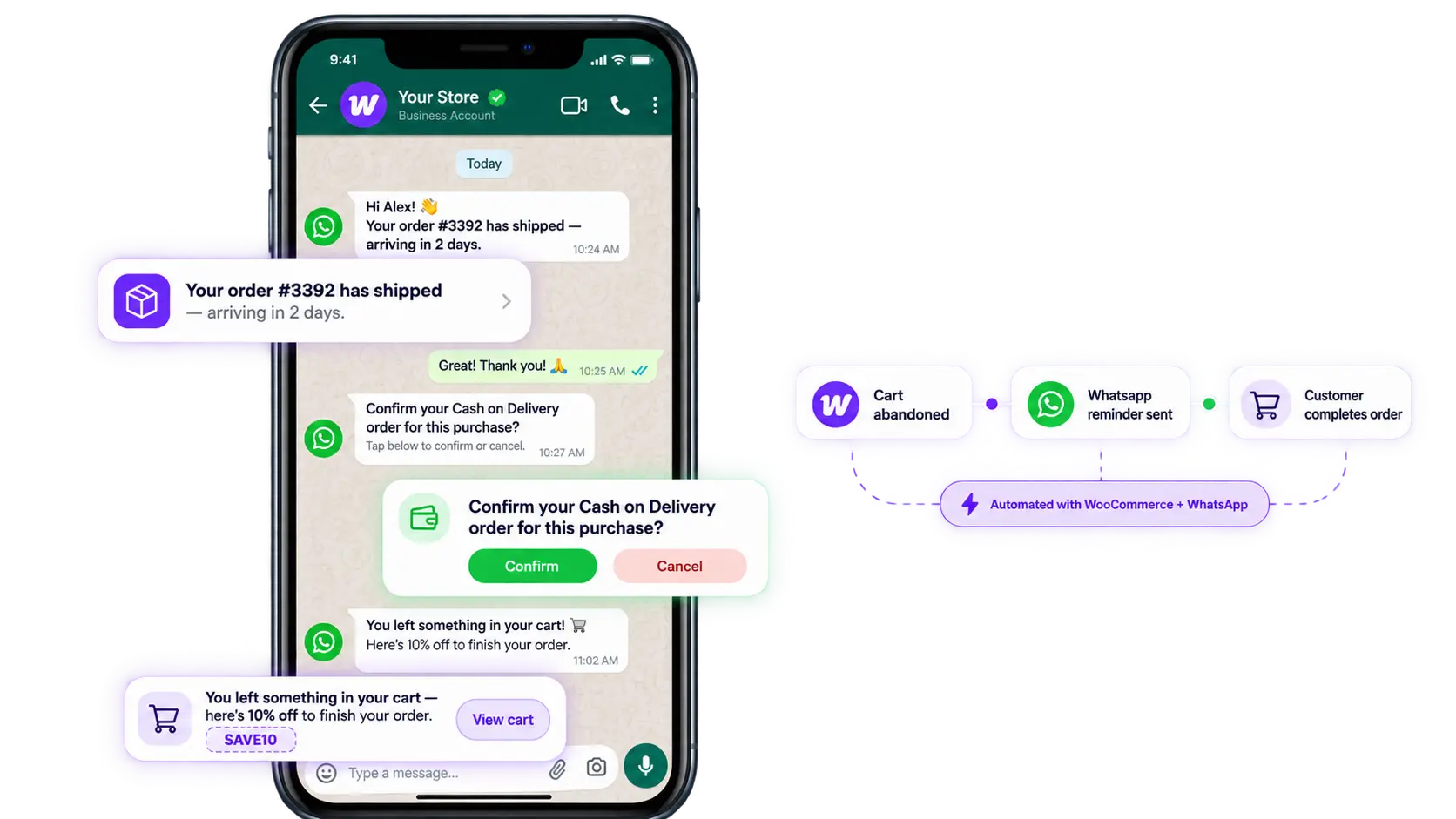
Customers get automatic WhatsApp updates the moment an order is placed, and again on every status change.
Order notification guideA separate WhatsApp message fires automatically whenever an order moves — placed, shipped, completed, refunded.
Status change guideConfirm cash-on-delivery orders over WhatsApp before they ship — fewer failed deliveries, lower return costs.
COD verification guideA free WordPress plugin captures cart and contact details, checking every 5 minutes for carts left inactive over an hour, then posts that data to a Webhook Workflow.
Plugin setup guide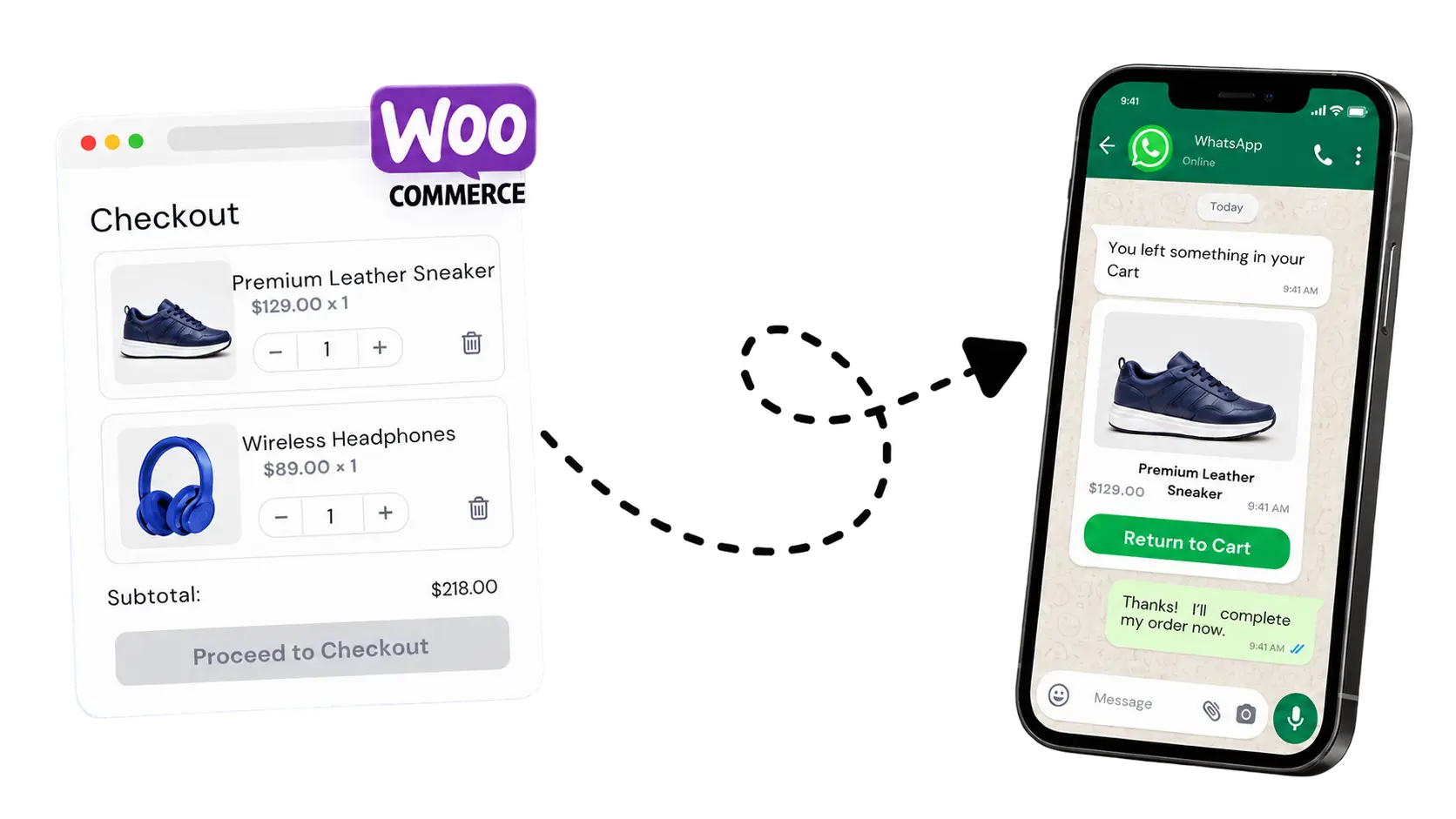
Read the full WhatsApp automation guide for Shopify & WooCommerce
Start with the WooCommerce connection, then configure your AI Agent and cart recovery.
Your products, orders, and inventory already live here — nothing about how you run your store needs to change.
Your customers are already here — reachable instantly, with open rates email can’t match.
Whether you’re weighing woocommerce pricing against a bigger platform or already running a high-volume catalog, here’s how the agent actually fits your store.
Bind your store once and every action — order lookups, cancellations, recommendations — runs on live woocommerce integration, so nothing you see on WhatsApp is ever a stale export.
High SKU counts, multiple agents, and routing rules were designed for larger stores from day one — woocommerce for enterprise merchants aren’t an afterthought here.
Most whatsapp business solutions stop at broadcast messages. This one reads real order data and replies the way a support teammate would, not a template blast.
From data sitting in your woocommerce custom checkout fields to how the agent phrases a refund, woocommerce customization happens inside a plain-language prompt — not a code deploy.
When WhatsApp volume grows, don’t build a bigger bot — build a team.
Product and pricing questions
Order status, cancellations, complaints
Send each message to the right agent automatically
WooCommerce setup, agent actions, automation, and pricing — pick a topic.
An AI Agent understands what a customer means and decides what to do about it — save their details, check a live order, hand off to a teammate — instead of matching a fixed keyword to a canned reply.
Write actions directly in the prompt using ##action_name## : id. Type ## to trigger autocomplete and pick a label, sequence, or resource — the UI shows names, but the prompt stores the numeric ID underneath.
Yes — create separate agents for Sales, Support, and Lead Qualification, each with its own system prompt, then enable them together under Agent Configuration with routing rules deciding who answers what.
Generate a Consumer Key and Secret from WooCommerce → Settings → Advanced → REST API (Read/Write permission), then enter your Store URL and those keys under Integrations → E-Commerce → WooCommerce in BotSailor.
Most merchants finish woocommerce integration in under ten minutes: generate a REST API key from WooCommerce, paste it into BotSailor, and the agent can see live orders.
Yes — a woocomerce store with zero order history connects the same way as an established one; the agent just has less data to reference until orders start coming in.
It won’t save. Every WooCommerce action requires ##woocommerce_store## to be set first — pick a connected store, and other WooCommerce tags will fail to save until that’s in place.
Notes — ##woocommerce_update_order_note## adds the exact note you specify to the order. This is the WooCommerce equivalent of Shopify’s order tagging action.
Yes — ##woocommerce_cancel_order## cancels an order once the customer has clearly requested it, without needing manual approval for every case.
Yes — anything captured in your woocommerce custom checkout fields, like delivery notes or a tax ID, is available to the agent as part of the order record it already pulls.
Yes. Because actions run on live data rather than a cached feed, anything from a recent woocommerce add product step is visible to the agent immediately, with no manual resync.
The concept is identical — bind the store, then use its actions — but WooCommerce uses a Consumer Key/Secret from your WordPress admin instead of Shopify’s access token, and order notes instead of order tags.
Yes — toggle Order Notifications under Chatbot Manager → WhatsApp Bot → WC/Shopify Automation for the quick option, or build a custom Webhook Workflow for more control.
When a cash-on-delivery order comes in, BotSailor automatically messages the customer on WhatsApp to confirm it before it ships — cutting failed deliveries and return shipping costs.
Yes — install BotSailor’s free WooCommerce Abandoned Cart Recovery Webhook Plugin, point its Webhook URL at a BotSailor Webhook Workflow, and it checks every 5 minutes for carts left inactive over an hour, sending that customer’s data straight into your automated WhatsApp reminder.
Yes — beyond the initial order confirmation, BotSailor can send a distinct WhatsApp message for each status change: shipped, completed, refunded, and more.
It’s a real AI Agent: woocommerce ai in BotSailor understands intent, decides which action to run, and only falls back to a canned reply when nothing else fits.
The woocommerce ai chatbot searches your live catalog for matching products, price, and stock status before replying — it isn’t picking from a fixed list you wrote in advance.
Yes — ai product recommendations for woocommerce are enabled with a single action tag inside your agent’s system prompt, no developer required.
Quite a lot — woocommerce customization happens through plain-language instructions, so tone, refund policy, and which actions are allowed can all be rewritten without touching code.
The short version of how to customize woocommerce responses: edit the system prompt directly — every wording change takes effect on your very next test message.
It’s built specifically as one of the whatsapp business solutions used for order support and sales on WooCommerce — not a generic broadcast tool bolted on afterward.
Yes — BotSailor offers a free plan, so you can connect your WooCommerce store and test your AI Agent before upgrading to a paid tier.
BotSailor sits alongside your existing store, so there’s no separate woocommerce pricing tier to buy into — you pick a BotSailor plan (a free one included) and connect the store you already run.
Multi-agent routing, live order lookups, and abandoned-cart recovery were all built with woocommerce for enterprise catalogs in mind — high order volume doesn’t slow the agent down.
No — issues with your WordPress site or WooCommerce plugin itself still go through their own support channels. BotSailor’s support covers your AI Agent, WhatsApp connection, and automation setup.
Store connect, agent prompts, or cart recovery — we can help you go live.
Complete setup guideContact UsOrder lookups, recommendations, cancellations, and cart recovery — on the channel your customers already use.