
F
Frontline Agent
Qualifies
Greets every conversation, asks qualifying questions, reads intent, and tags the lead. Lead qualification
Hands off with
##transfer_agent## : 18
##action## : id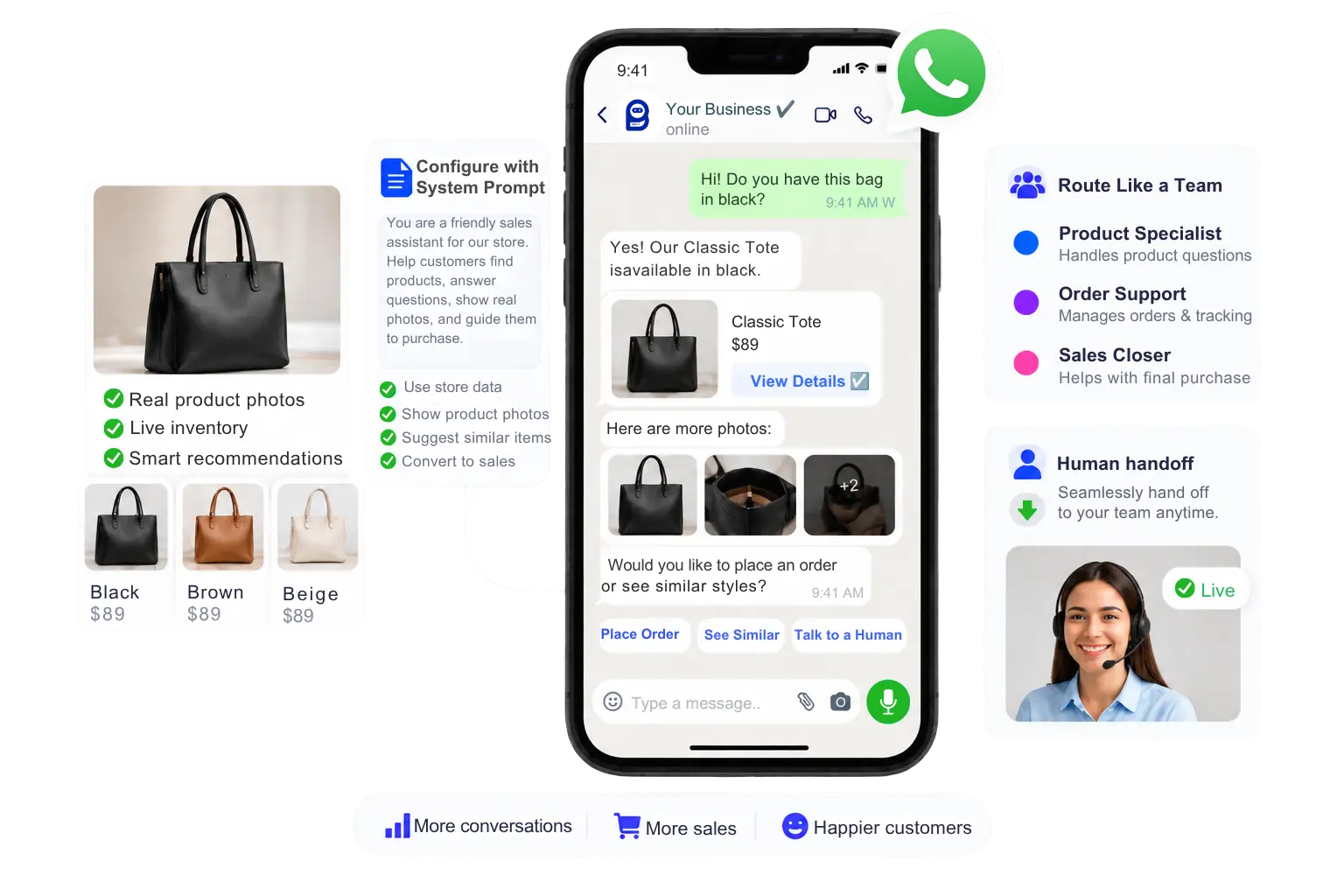
Each agent has its own role and its own system prompt, so your AI sales agent stays focused on selling while other agents qualify and support. Enable them independently under Agent Configuration, let routing rules decide who a conversation reaches first, and let ##transfer_agent## handle every handoff after that.
Qualifies
Greets every conversation, asks qualifying questions, reads intent, and tags the lead. Lead qualification
Hands off with
##transfer_agent## : 18Sells
The AI sales assistant at the center of the team. Handles pricing, products, and objections, sends photos and catalogs, checks store data, and asks for the sale.
Brings in a person with
##assign_human_role## : 3After the sale
Answers after-sale questions from the knowledgebase and closes finished chats. Customer support
Closes with
##mark_as_solved##Closes
Closers pick up the thread in the Shared Inbox with the labels, fields, and notes the AI already saved. Shared Inbox
Or assign one person
##assign_human_member## : 335Running several products or regions? Configure separate AI sales agent instances, each with its own system prompt and knowledge, then route by product line, language, or region.
Unlike a scripted chatbot, every agent reasons about the conversation instead of matching keywords. Rules and IDs above are examples. Full walkthrough: how to create and configure AI agents, or see the AI Agents overview.
The prompt is plain language. Wherever the agent needs to do something real, you write an action in the format ##action_name## : id. Type ## in the prompt box to autocomplete from a list. Because the logic is written in plain words, this AI sales assistant software is something you can read, edit, and explain to your team.
Type ## in the System Prompt box.
Pick a label, sequence, field, or agent from the autocomplete list. The interface shows names.
The prompt always stores the numeric ID, like ##add_label## : 12.
Shopify actions require ##shopify_store## first. WooCommerce actions require ##woocommerce_store## first. Pick a connected store, or other store tags will not save.
Add product and gallery images under Knowledge Sources (Media). The agent can send them when the customer asks for photos.
Example prompt. IDs are examples; yours come from the autocomplete list.
##add_label## : 12Add a label
##remove_label## : 12Remove a label
##save_custom_field## : 42Save a custom field
##assign_sequence## : 8Assign a sequence
##remove_sequence## : 8Remove a sequence
##trigger_bot_flow## : 15Trigger a bot flow / postback
##transfer_agent## : 18Hand off to another AI agent
##assign_human_member## : 335Always assign to this one team member
##assign_human_role## : 3Round robin between the available members of a team role
##call_http_api## : 5 | reply_with_response | status, messageCall the API, then reply using the selected response fields
##call_http_api## : 5 | reply_with_static_reply | Thank you! We received your request.Call the API, then send this fixed customer reply
##call_http_api## : 5 | no_replyCall the API silently, with no customer message
##mark_as_solved##Mark the conversation as solved when the issue is done
##skip_reply##Do not reply to vague or irrelevant questions
##block_subscriber##Block the subscriber if the message is spam
##follow_up## : 24Set an internal staff follow-up reminder (hours from now)
##add_note## : Customer wants a callbackSave an internal inbox note, never sent to the customer
Shopify AI AgentIntegration guide
##shopify_store## : 12Bind a connected Shopify store
##shopify_get_order_details##Look up order status (the customer sends the order number)
##shopify_recommend_products##Search and recommend products
##shopify_update_order_tag## : whatsapp-connectedAdd that exact tag to the order
##shopify_cancel_order##Cancel an order when the customer asks
WooCommerce AI AgentIntegration guide
##woocommerce_store## : 12Bind a connected WooCommerce store
##woocommerce_get_order_details##Look up WooCommerce order status
##woocommerce_recommend_products##Search and recommend WooCommerce products
##woocommerce_update_order_note## : whatsapp-connectedAdd that exact note to the order
##woocommerce_cancel_order##Cancel a WooCommerce order when the customer asks
Buyers commit to what they can see. When a customer asks for real photos, a demo, or the full catalog, the AI sales agent answers from the media you trained it on and sends the files in the same chat. No hunting through a gallery, no waiting for a teammate.
Can I see it in a real room?
Also, send me the catalog.
Real photos, a demo, a catalog: the moment buyers usually go quiet, or wait for a human.
Attached Knowledge (3)
Photos and galleries live in Media. PDFs live in File. Both are trained once.
Here you go. Which colour are you leaning towards?
The reply ends with a question, so the sale keeps moving.
Learn more: train your agent on FAQs, URLs, files, APIs, and Google Sheets.
Images belong under Knowledge Sources, never as URLs in the prompt.
Build a Knowledge Set once and reuse it across Frontline, Sales, and Support.
If the two disagree, the system prompt controls behavior.
This AI sales agent software doesn’t work alone. Catalog, calling, stores, inbox, broadcasts, and ads sit on the same platform, so a sale can start, move, and close without switching tools.
Sync your Meta catalog into BotSailor under e-Commerce Catalog and let the AI sales agent sell from it right inside the chat. Add WhatsApp Pay to your catalogue where it is available.
Cart · 1 item
$890CheckoutSome purchases close on a voice call, not in text. Move a ready buyer from chat to a WhatsApp call with your closer, who starts with the AI’s notes and lead fields already on the thread.
Look up live order status from the order number, recommend products from your real store, and tag, note, or cancel orders when the customer asks.
##shopify_get_order_details##Inbox IQ scores every lead, a built-in CRM sits beside the chat, and your team can Join Chat, then Pause AI or Pause Bot, and resume when they’re done.
Explore Shared InboxInbox IQ
Churn risk 12%
Sentiment: Positive
AI outbound sales for WhatsApp: an outbound AI sales agent that revives quiet leads with automated follow-ups on pre-approved templates, starts sequences from the prompt, and reaches a whole segment of opted-in contacts with a broadcast.
##assign_sequence## : 8##follow_up## : 24Run ads that open straight into a WhatsApp chat instead of a landing page. Your AI sales assistant starts selling on the customer’s first reply.
Interface previews are illustrative.
Buyers compare several sellers at once. The one who answers first, with the right proof, usually gets the conversation. That is what the best AI sales agents for boosting revenue have in common: they reply in seconds, show proof, and hand warm buyers to a person.
Responding to a lead within 5 minutes increases the odds of qualifying them by 21x, yet the average B2B response time is 42 hours.
Harvard Business ReviewOver 40% of high-intent leads arrive outside standard business hours, when most teams aren’t watching the inbox.
WhatsApp messages see an open rate of around 98%, far above traditional email or web forms.
People use WhatsApp worldwide, so your buyers are already there. Selling in the chat meets them where they are.
Your AI sales agent answers in seconds, at night and on weekends, then hands a warm lead to a person.
Real photos, catalogs, and live order data turn a quote into a confident yes.
Labels, fields, and notes travel with the lead, so closers never start cold.
Everything people ask about AI sales agent software and AI sales assistants before putting one in front of real buyers, sorted by topic.
##call_http_api## calls the API you configure.##call_http_api## can push the same lead data out. AI sales agent software handles the conversation, while your CRM can keep the records.##action_name## : id, for example ##add_label## : 12. Type ## in the System Prompt box to autocomplete, then pick a label, sequence, or field from the list. The interface shows names; the prompt always stores numeric IDs.##transfer_agent## hands it to another AI agent, for example from Frontline to Sales, without the customer repeating anything.##call_http_api## can send a captured lead to a CRM or webhook in the middle of a conversation, then reply with response fields, send a fixed message, or stay silent.##shopify_store## or ##woocommerce_store##. Then the agent can look up order status, recommend products, update an order tag or note, or cancel an order when the customer asks.##assign_human_member## assigns a specific teammate and ##assign_human_role## round-robins across a team role. In the Shared Inbox, Join Chat lets a person step in, Pause AI and Pause Bot stop automation so the customer is not answered twice, and Resume switches it back on.##assign_sequence##. Replies come back to the same AI sales agent.Prompts, catalogs, store actions, or multi-agent routing — we can help you go live.
Complete setup guideContact usPut your AI sales assistant to work: write the prompt, add your photos and catalogs, set the routing, and let your team close the deals that matter.