
Workflow automations
Update the subscriber and start the next step from the chat.
- Add / remove labels
- Assign / remove sequences
- Save custom fields
- Trigger bot flows

A customer may ask about a product, request pricing, check an order, then need support. Give each job a focused agent—and let BotSailor route the right one automatically.
Answers product questions, recommends from your catalog or API, handles objections, and flags purchase intent.
Explore the AI Sales AgentAsks for requirements one by one, saves the answers, labels the lead, and starts the right follow-up.
Explore the Lead Qualification AgentCollects an order number, calls your status API, explains delivery, and escalates delays.
Answers from support knowledge, runs troubleshooting, and assigns a human when the case is complex.
Explore the Customer Support AI AgentCaptures service, date, and time, checks availability, and triggers the booking flow or reminder sequence.
Recognizes when a person is needed and assigns the conversation to the right team member or role.
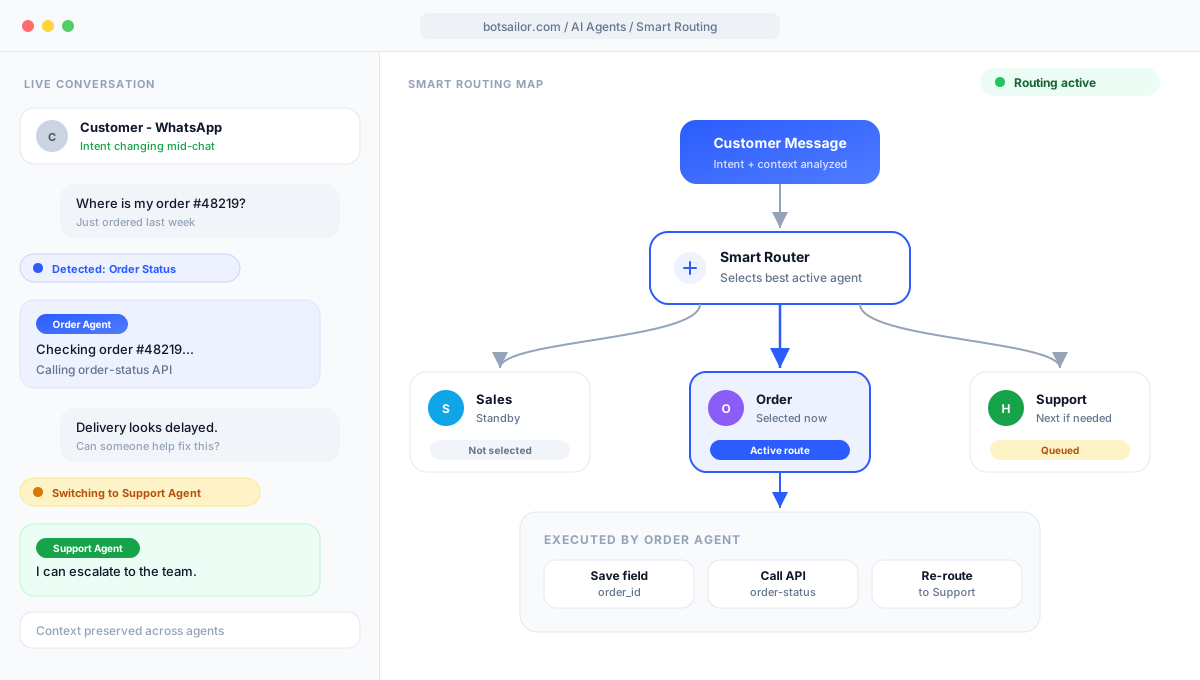
BotSailor routes the customer to the right specialist, keeps that agent sticky, then the agent uses knowledge and tools until it transfers, finishes, or involves a human.
Example conversation
Every BotSailor AI Agent is controlled through a dedicated system prompt. You don’t only tell the agent how to reply—you tell it what should happen when a condition is met.
Type ## inside the System Prompt to search and select available actions. Readable names in the UI map to internal IDs behind the scenes.
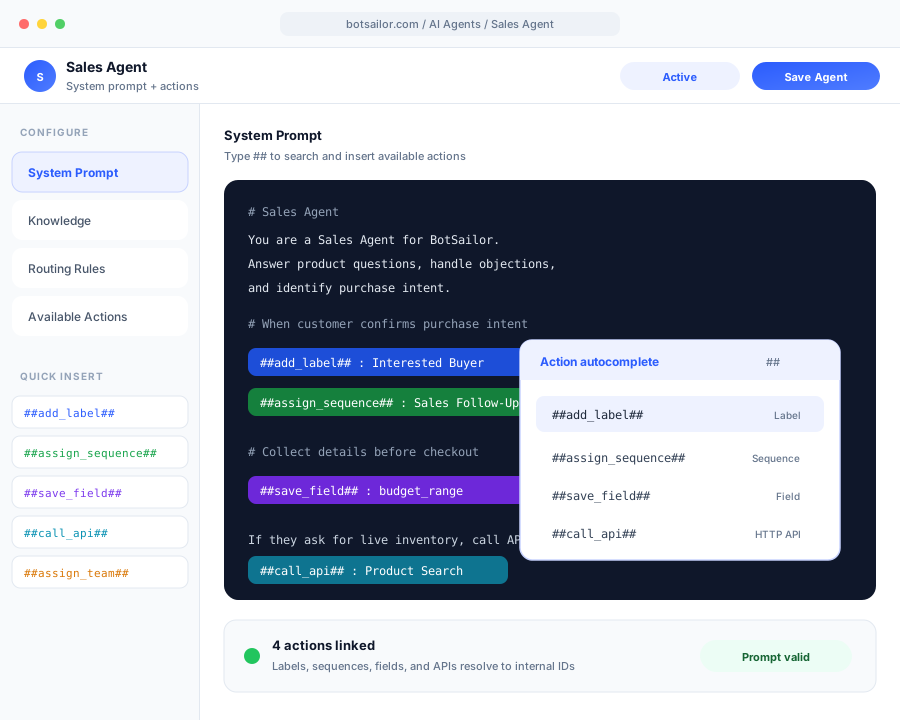
Type ## in the system prompt to insert an action. BotSailor executes it.
Update the subscriber and start the next step from the chat.
Work with a connected store catalog and live orders.
Shopify WhatsApp AI AgentWooCommerce WhatsApp AI AgentCall a connected HTTP API, then reply with the result.
Pass the chat to another AI agent or your team.
Ask for a detail, close the loop, or stay silent.
Keep the thread moving inside the shared inbox.
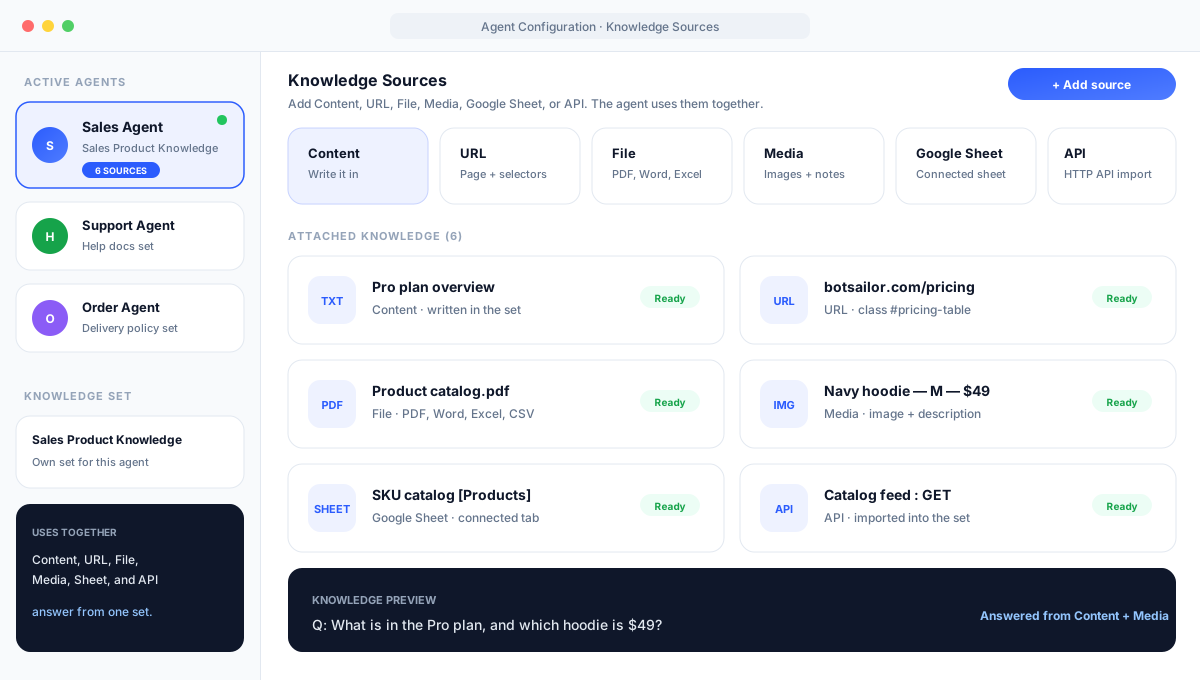
Pick a knowledge set for the agent, then add sources. BotSailor uses them together when that agent answers.
Write what the agent should know, in its own words.
Import a webpage, then keep only the useful parts.
Upload a document the agent should learn from.
Attach product images with a short description.
Import a tab from a connected Google Sheet.
Import a connected HTTP API into the knowledge set.
Agents can use conversation context and previously collected customer information—so when another specialist takes over, the customer doesn’t repeat everything.
Configure the contextual memory window to match your requirements.
Available to every active agent in the same chat
If you used the previous BotSailor AI, this is the upgrade: specialists that route, stay sticky, and execute tools—not a single chatbot that only answers from knowledge.
Watch a short setup: create one agent, add knowledge, turn it on, and send a test message. The overview above sells the idea. This video gets you to Save.
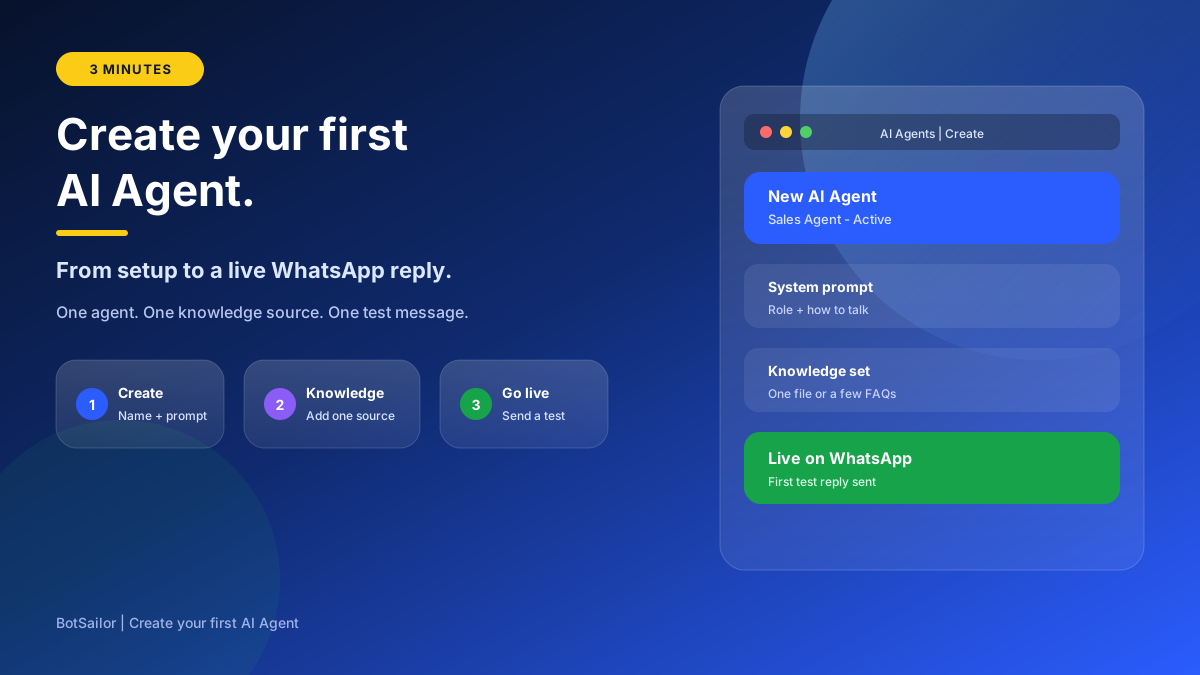
Prefer the written steps? Read the complete setup guide
BotSailor AI Agents run on AI Tokens — included with Premium every month, with simple top-ups when you need more.
Every Premium plan includes 2 million AI Tokens each month by default — enough to get your agents live and answering customers.
Need more capacity? Buy non-expiring AI Token packs anytime. One shared wallet powers agents, bot reply, inbox AI, and more.
Skip AI provider setup. Use BotSailor platform models out of the box.
Multi-agent setup, routing, prompts, AI Tokens, and human handover—answered clearly.
A BotSailor AI Agent is a conversational agent with its own role, system prompt, knowledge set, routing instructions, and available actions. It can communicate with customers and execute configured business tasks.
Yes. You can create multiple specialized agents and activate the agents required for the selected bot.
You define routing rules that describe which types of customer messages should be assigned to each agent. BotSailor uses these rules and the customer’s message to choose the appropriate active agent.
Actions are added directly inside the System Prompt using BotSailor’s action format: ##action_name## : selected_value. Type ## in the prompt editor to autocomplete available actions and select the required label, sequence, custom field, API, flow, team, or member.
Yes. The agent can call a configured HTTP API when the conditions defined in its system prompt are met.
Yes. Agents can trigger configured BotSailor bot flows or postbacks.
Yes. The agent can save customer responses into selected custom fields.
Yes. Agents can add or remove labels and assign or remove sequences according to the system prompt.
Yes. It can assign the conversation to a configured human agent, member, team, or role.
Yes. Each agent has its own knowledge set. You can add Content, URL, File, Media, Google Sheet, and API sources. The agent uses them together to answer.
No. AI Agents can work with your existing flows and trigger them whenever a structured automation process is needed.
AI Agents run on BotSailor AI Tokens. Every Premium plan includes 2 million free AI Tokens each month. If you need more, top up anytime from the AI Token page — credits do not expire and power Multi-Agent routing, knowledge answers, inbox AI, and more from one shared wallet.
Prompt design, agent routing, or action setup—we can help you build your first AI team.
Complete setup guideContact UsCreate specialized AI Agents that understand customer needs, use your business knowledge, collaborate across the customer journey, and execute real actions. Move beyond a chatbot that only answers questions.