



What WhatsApp automation looks like
- Customer message
- Condition
- Customer data
- Action
- API
- Follow-up
- Human
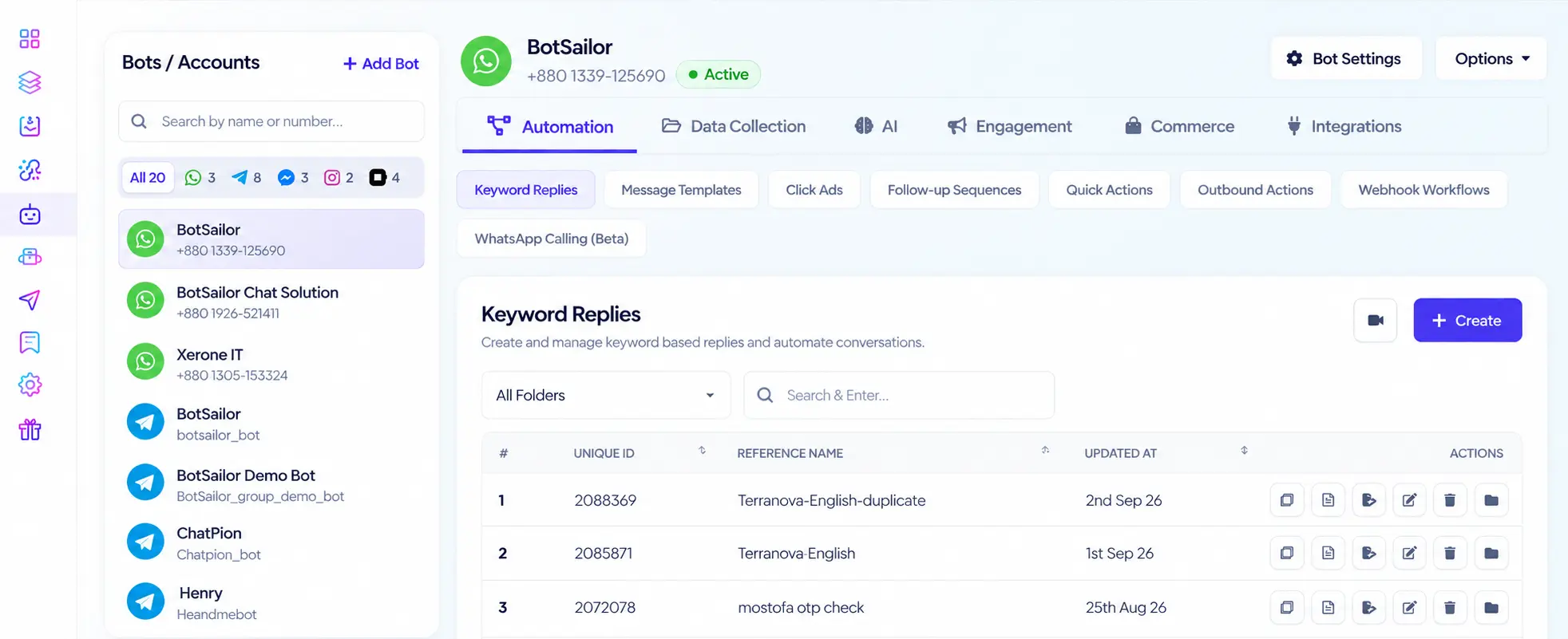
Everything you need to automate WhatsApp
From the first customer message to the final conversion, BotSailor automates the journey — then hands off to a human when it matters.
Chatbots
Build automated conversations visually — messages, buttons, conditions, and handoff.
Lead capture
Collect names, phone numbers, preferences, and custom fields in chat.
Broadcasting
Send targeted, personalized WhatsApp campaigns to opted-in lists.
Follow-ups
Continue conversations automatically at the right time.
Ecommerce
Recover carts, send order updates, and automate store support.
Business workflows
Trigger APIs, webhooks, Google Sheets, and the rest of your stack.
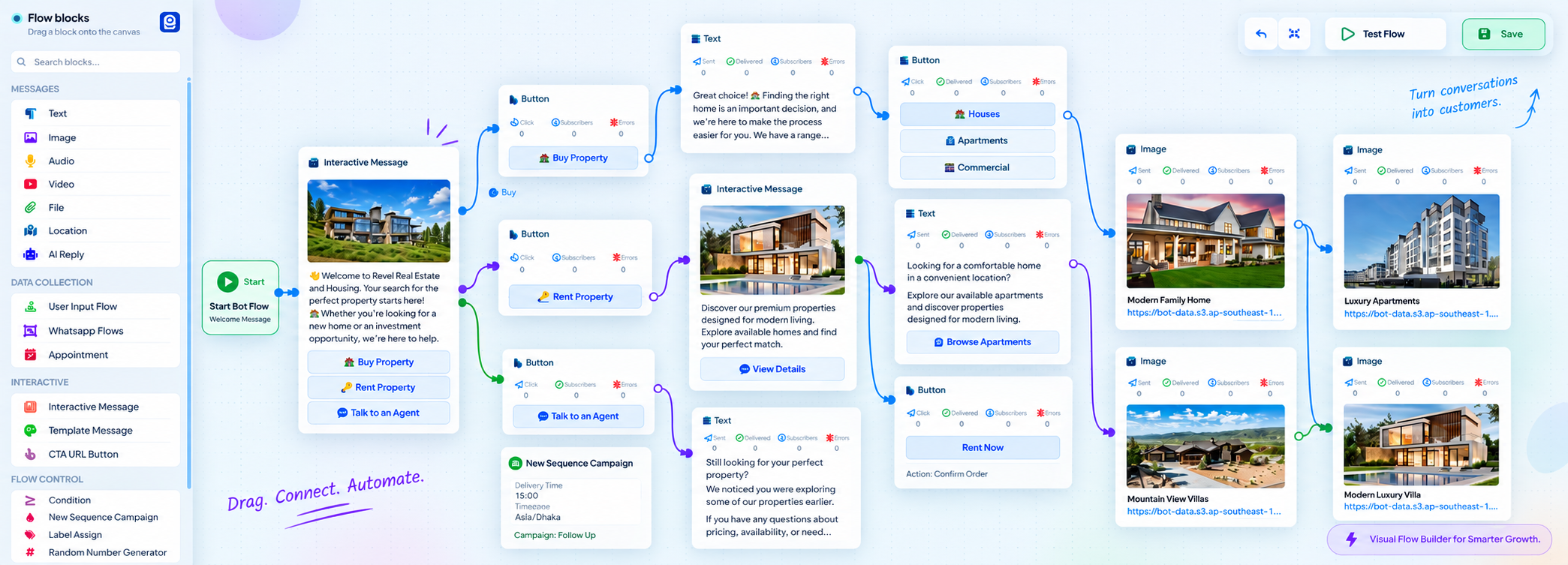
Build powerful WhatsApp automations visually
Create complete customer journeys without writing code. Connect messages, conditions, customer data, actions, and integrations into one WhatsApp workflow.
Trigger → Message → User input → Condition → Update data → API → Follow-up
- Drag & drop
- Conditions
- Custom fields
- Labels
- Sequences
- API calls
- Webhooks
Turn WhatsApp conversations into sales
Automate the repetitive parts of the journey while customers keep moving toward a purchase.
Qualify leads automatically
Ask questions and route people based on their answers.
Capture customer data
Store contact details, interests, and preferences while they chat.
Recommend the next step
Send products, offers, booking links, or the right flow.
Trigger follow-ups
Continue automatically when they do not convert on the first reply.
Answer faster. Automate repetitive support.
Handle common questions and routine requests automatically. Keep your team for conversations that need a person.
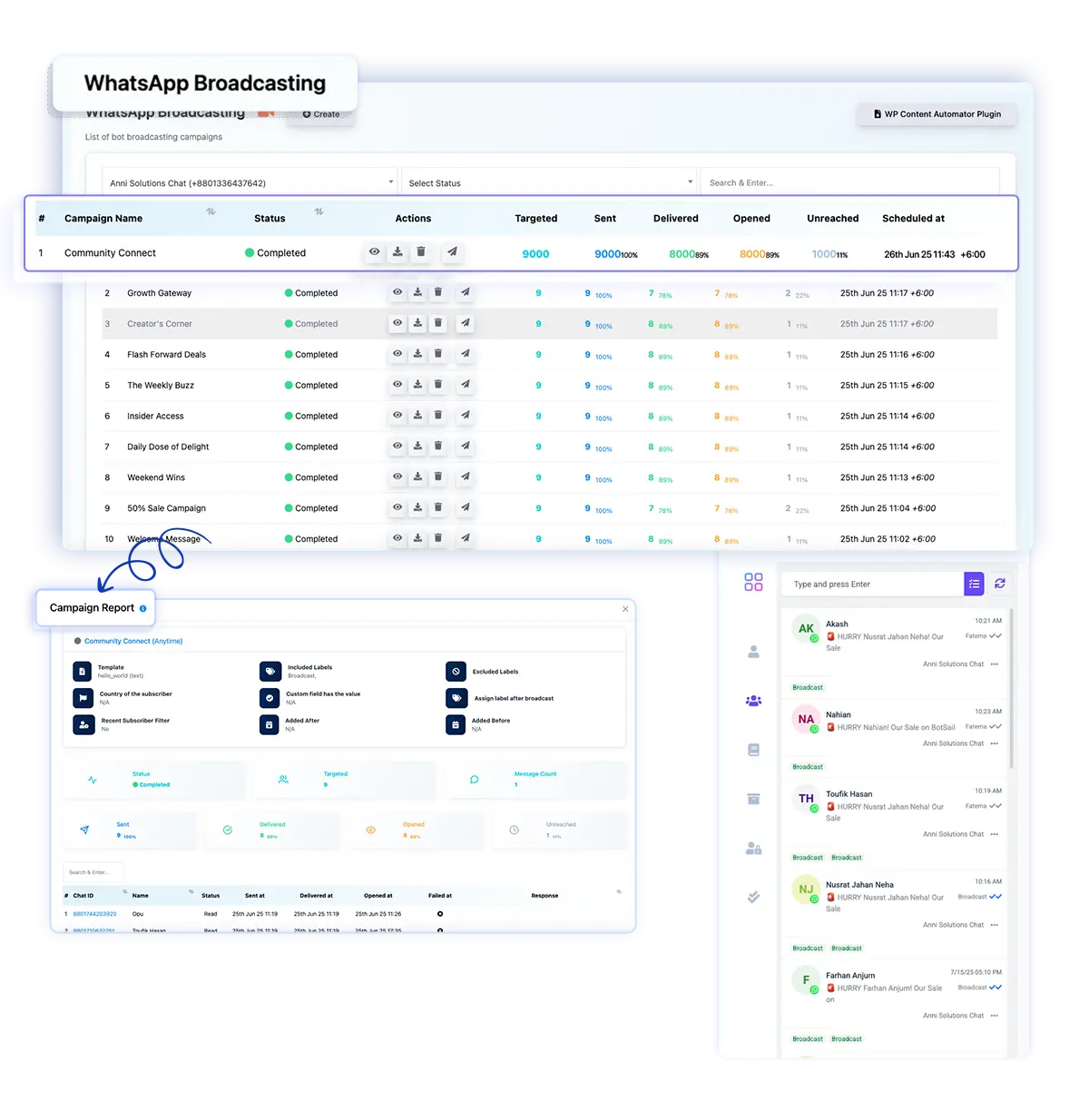
Reach thousands. Keep every message personal.
Send targeted WhatsApp campaigns based on labels, customer data, and audience segments — Meta-approved templates to opted-in contacts.
- Segment your audience
- Personalize messages
- Schedule campaigns
- Track delivery and engagement
- Handle replies in Shared Inbox
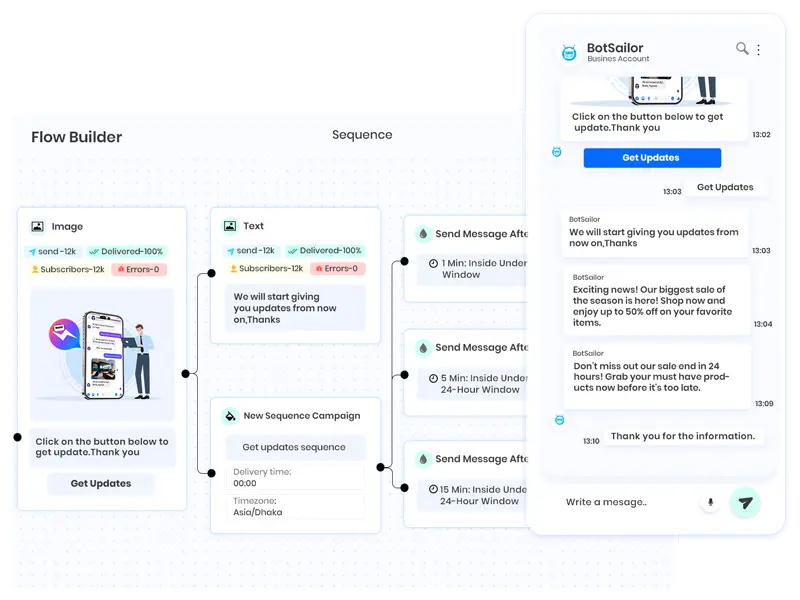
Never let an important conversation go cold
Automatically continue journeys with sequences and scheduled follow-ups.
- Asks about pricing
- No purchase
- Follow-up in 2 hours
- Send offer
- Customer replies
- Agent takes over
Automate WhatsApp for Shopify & WooCommerce
Store events become WhatsApp messages — carts, orders, COD, and support — on the same official number.
Abandoned cart recovery
Bring shoppers back automatically.
Order notifications
Order, shipping, and delivery updates.
COD verification
Confirm cash-on-delivery orders on WhatsApp.
Customer support
Help with orders and products in chat.



Connect WhatsApp to the rest of your business
Automation does not have to stop inside BotSailor. Receive data from external systems, start WhatsApp conversations, send customer data out, and run end-to-end workflows.





Automation when you want it. Humans when you need them.
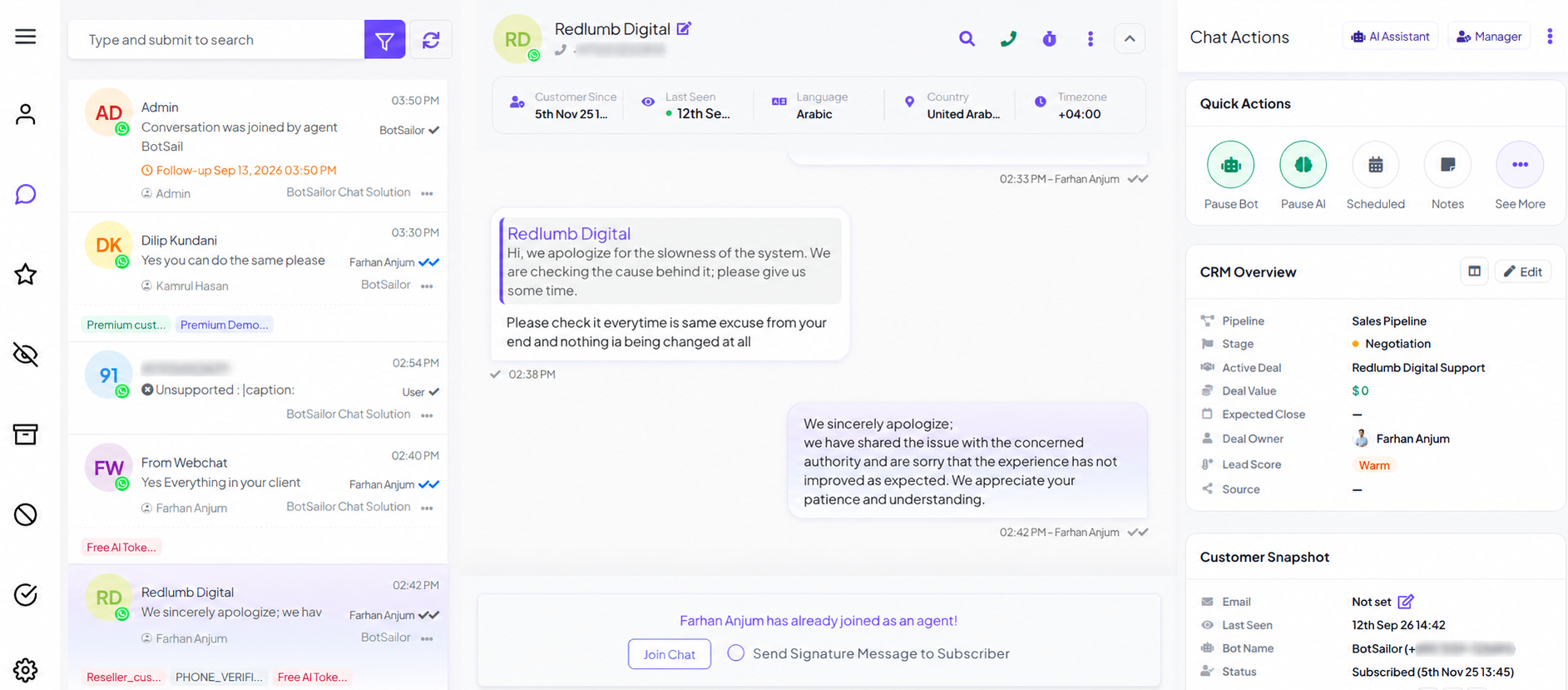
When a conversation needs personal attention, move it into Shared Inbox. Your team can take over, then resume automation afterward.
- Take over conversations
- Assign agents
- Add internal notes
- Create follow-ups
- View customer information
- Resume automation afterward
Add AI when rules are not enough
Traditional automation gives you control. AI Agents add intelligence — natural language, business knowledge, live data, and actions — then a human if needed.
Automation trigger → AI Agent → Business action → Human if needed
Explore AI Agents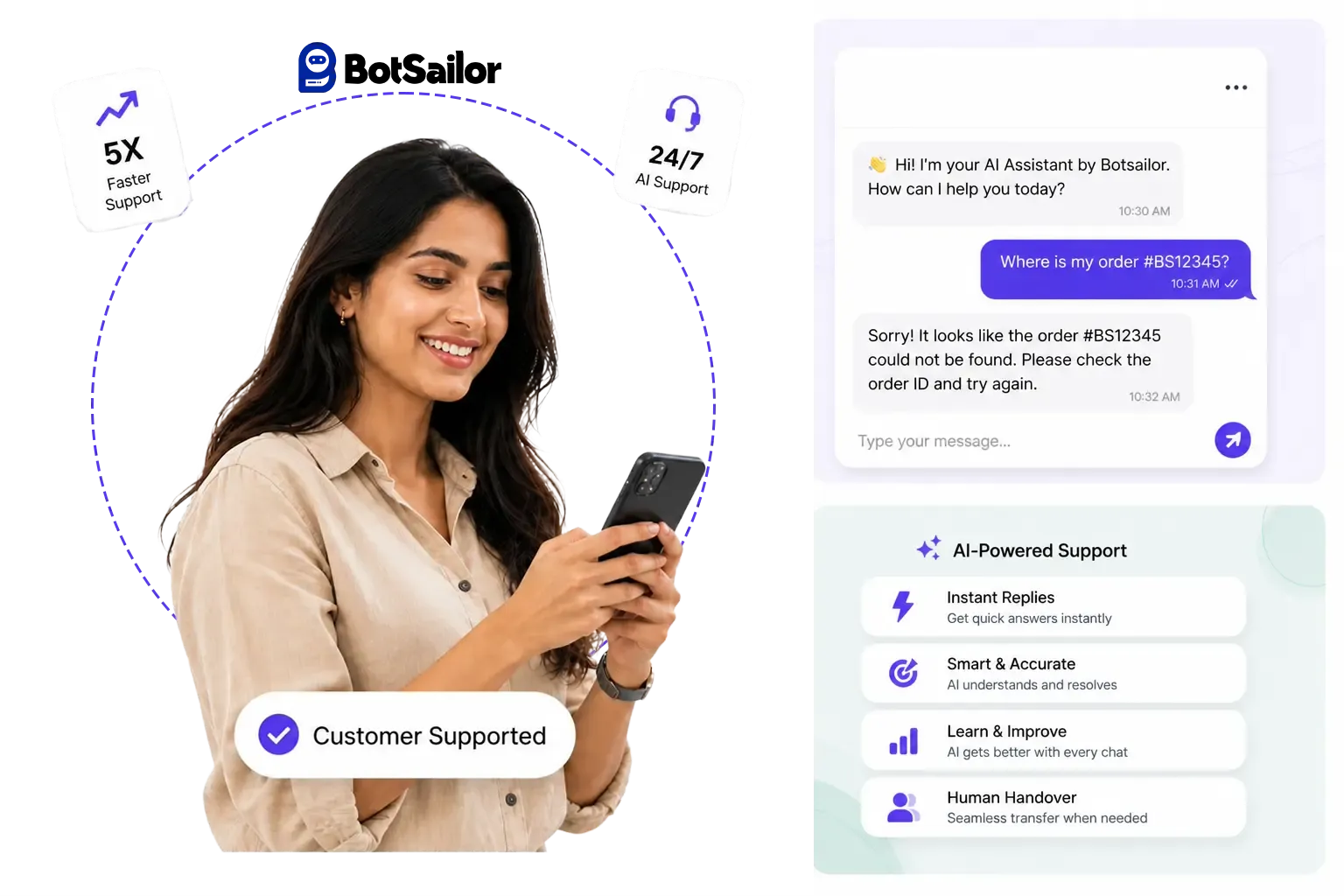
Automate WhatsApp across your business
From cart recovery to appointments and support, the same automation stack adapts to how your industry talks to customers.
How WhatsApp automation works
Connect once, build the journey visually, then automate follow-ups and hand off when a human should take over.
Connect WhatsApp
Official WhatsApp Business Platform — one number for the whole team.
Build the journey
Draw the chatbot in Visual Flow Builder: messages, data, conditions, APIs.
Automate the rest
Sequences, broadcasts, and store events keep the journey moving.
Hand off when needed
Shared Inbox and optional AI take the conversations rules cannot finish.
WhatsApp chatbot automation FAQ
What you can automate, no-code building, pricing, time to go live, APIs, Shopify, and human handoff.
WhatsApp automation is using the official WhatsApp Business Platform to reply, collect data, follow up, send campaigns, and run workflows without handling every message by hand. BotSailor does this with visual chatbots, sequences, broadcasts, store events, and human handoff.
Yes. Visual Flow Builder is drag-and-drop: messages, buttons, conditions, user input, APIs, sequences, and talk-to-human. You connect blocks. The path you draw is the chatbot the customer gets.
Lead capture, FAQs, follow-ups, broadcasts, abandoned carts, order notifications, COD confirmation, appointments, webhooks, Google Sheets, and routing to a live agent. AI Agents are optional when a rule-based flow is not enough.
Yes. User input flows and WhatsApp Flows ask questions in chat and save answers to custom fields, labels, and subscriber lists. Later steps, sequences, and broadcasts can use that data.
Yes. HTTP API nodes, inbound webhook workflows, and outbound webhooks send and receive data with CRMs, Google Sheets, Zapier, Make, n8n, Shopify, WooCommerce, and custom endpoints — no code required for the common paths.
Yes. Sequences continue a journey after minutes, hours, or days using regular session messages or Meta-approved templates. Use them when someone does not convert, misses a booking, or leaves a cart.
Yes. Connect the store to send cart recovery, order updates, COD verification, and support replies on WhatsApp. Dedicated Shopify and WooCommerce pages cover the store-specific setup.
Yes. Talk-to-human pauses the bot and opens the thread in Shared Inbox. Agents can assign, note, follow up, then resume automation when the issue is closed.
Yes. BotSailor is built by Xerone IT, a Meta Business Partner. It connects through Meta WhatsApp Cloud API — the official Business Platform — not unofficial phone or QR hacks. Templates, quality, and team access stay inside WhatsApp rules.
You can start free. Paid WhatsApp automation begins at $10.99/month. AI tokens, if you use AI Agents, are billed separately. See the BotSailor pricing page for what each plan includes.
A first keyword or FAQ chatbot can go live the same day you connect an official WhatsApp Business number. Sequences and broadcasts need Meta-approved templates, which can take extra review time. Cart recovery and order alerts go live after the store is connected.
Talk to a WhatsApp automation expert
Flows, broadcasts, store events, or inbox — we can help you go live.
Contact UsAutomate your WhatsApp customer journey
Build chatbots, workflows, broadcasts, follow-ups, and business automations from one official WhatsApp platform.
BotSailor is built by Xerone IT, a Meta Business Partner.